3-day starter access for $4.99
Your iPhone.
Leaner & clearer.
Secure Clean surfaces what weighs down your device — duplicate shots, bloated files, and messy contacts — so you decide what stays and what goes.
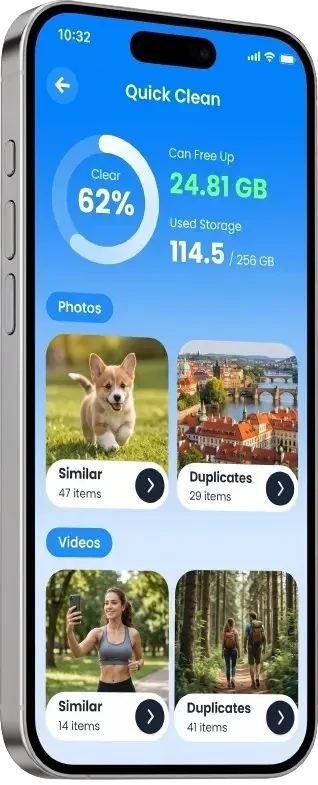
What Secure Clean helps with
-
Storage See what you can clear -
Contacts Spot overlapping entries -
Photos Group near-duplicates

Tools built for everyday iPhone care
Core cleanup features are available at no cost. Premium unlocks deeper compression, metadata control, and protected albums.
Included
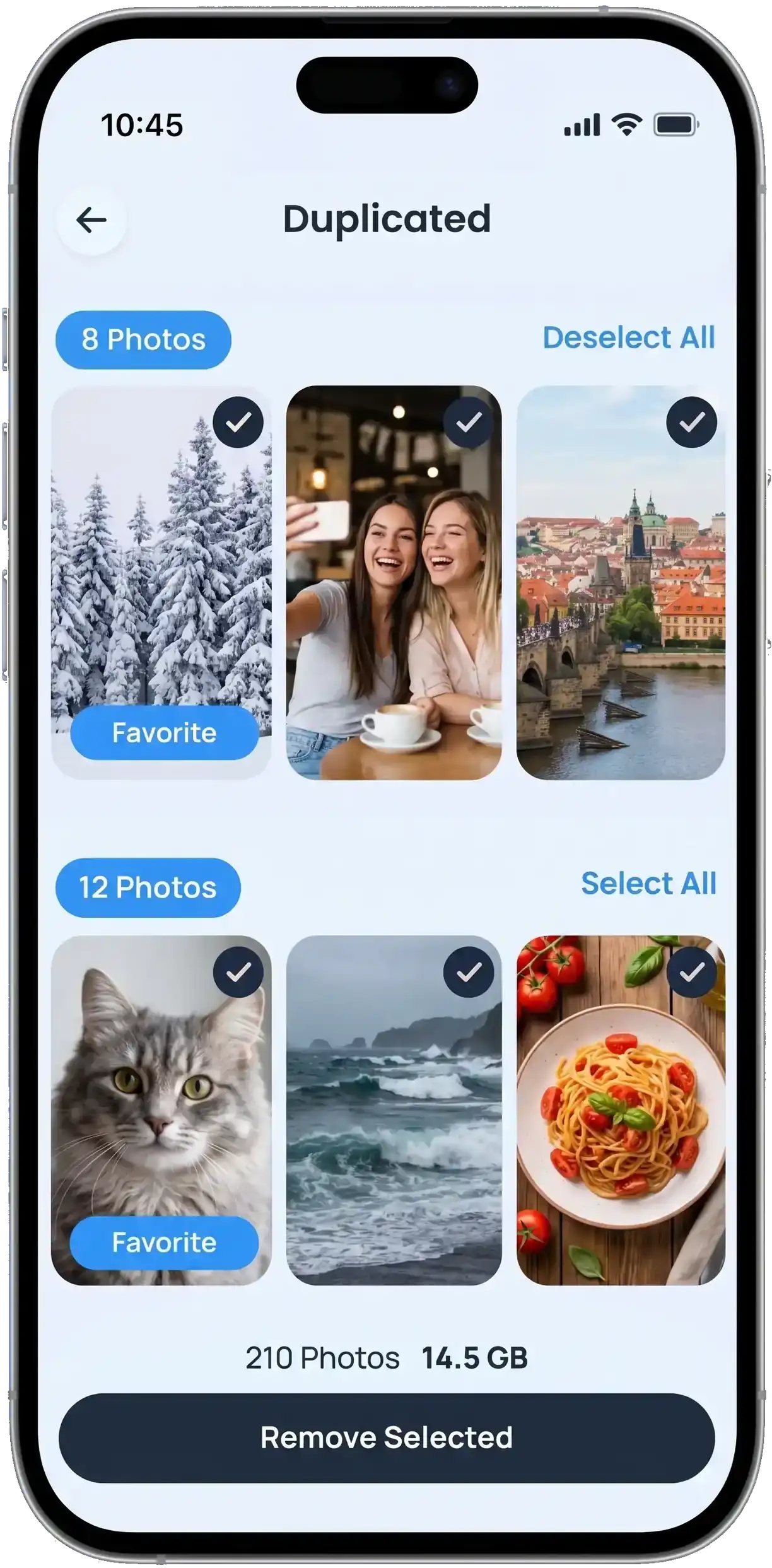
Photo sweep
Cluster burst shots, screenshots, and repeated frames so you keep the best version and shed the rest.
Included
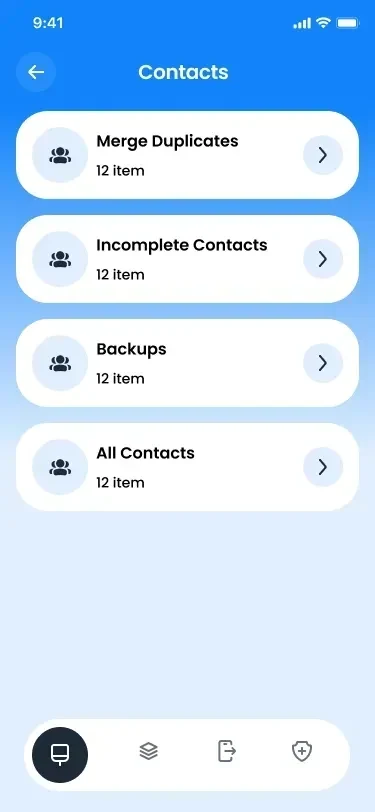
Contact harmonizer
Highlight duplicate numbers, blank fields, and incomplete cards before you merge or archive them.
Premium
Metadata strip
Remove location tags and embedded EXIF details from exports when you share photos outside your library.
Premium
Lightweight albums
Compress large images while preserving clarity, freeing gigabytes without losing memories.
Premium
Private vault
Move selected items into a PIN-protected space that stays on your device, not in the cloud.
Premium
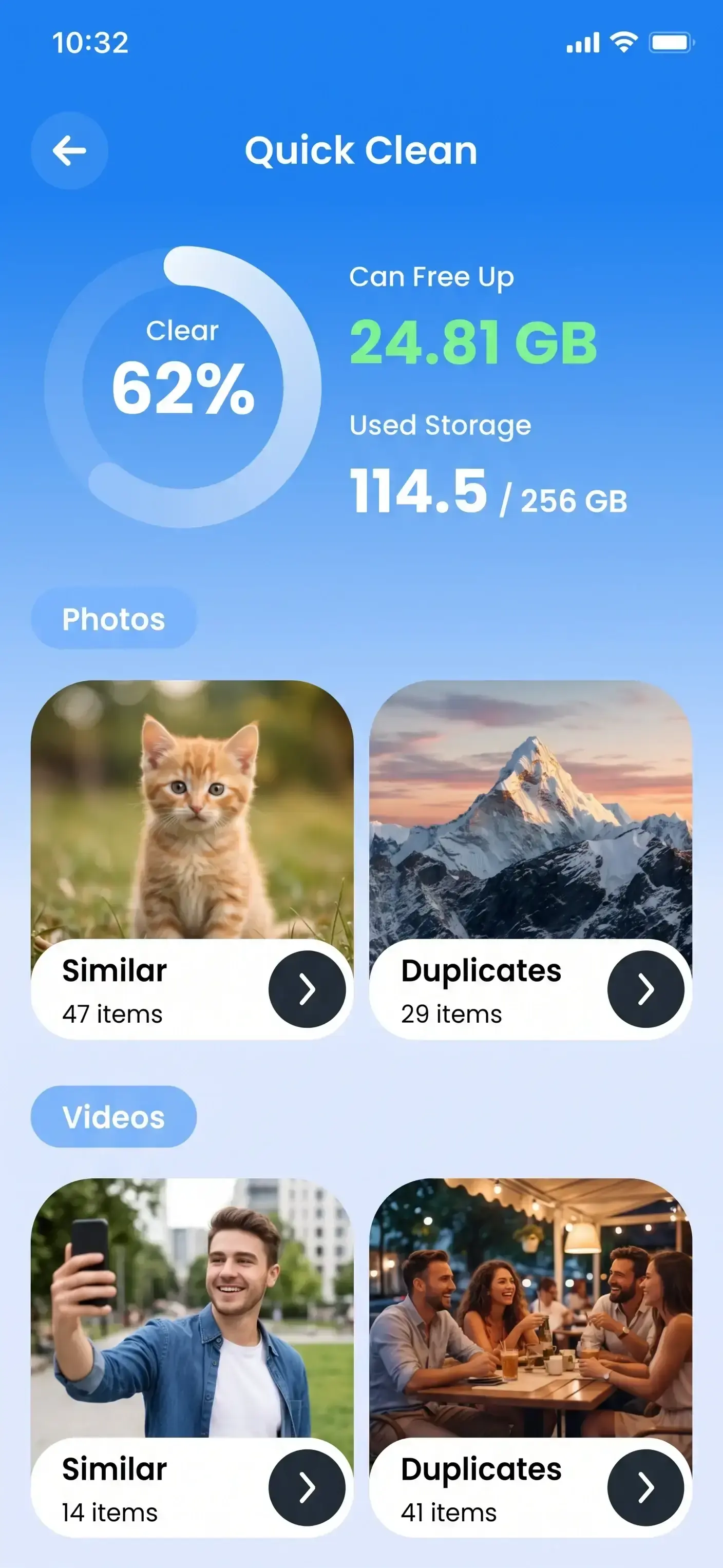
Storage pulse
One dashboard ranks clutter by impact — old downloads, heavy videos, and stale attachments first.
Three moves to a tidier phone
Premium is activated on this site. Download the app, sign in with your account, and run your first scan in minutes.
-
Activate starter access
Choose the 3-day plan for $4.99 and create your Secure Clean profile with the email we send you.
-
Run Storage pulse
Let Secure Clean map heavy folders, similar photos, and contact overlaps — nothing is deleted automatically.
-
Review and maintain
Approve each cleanup batch, set reminders, and revisit the dashboard whenever storage fills up again.
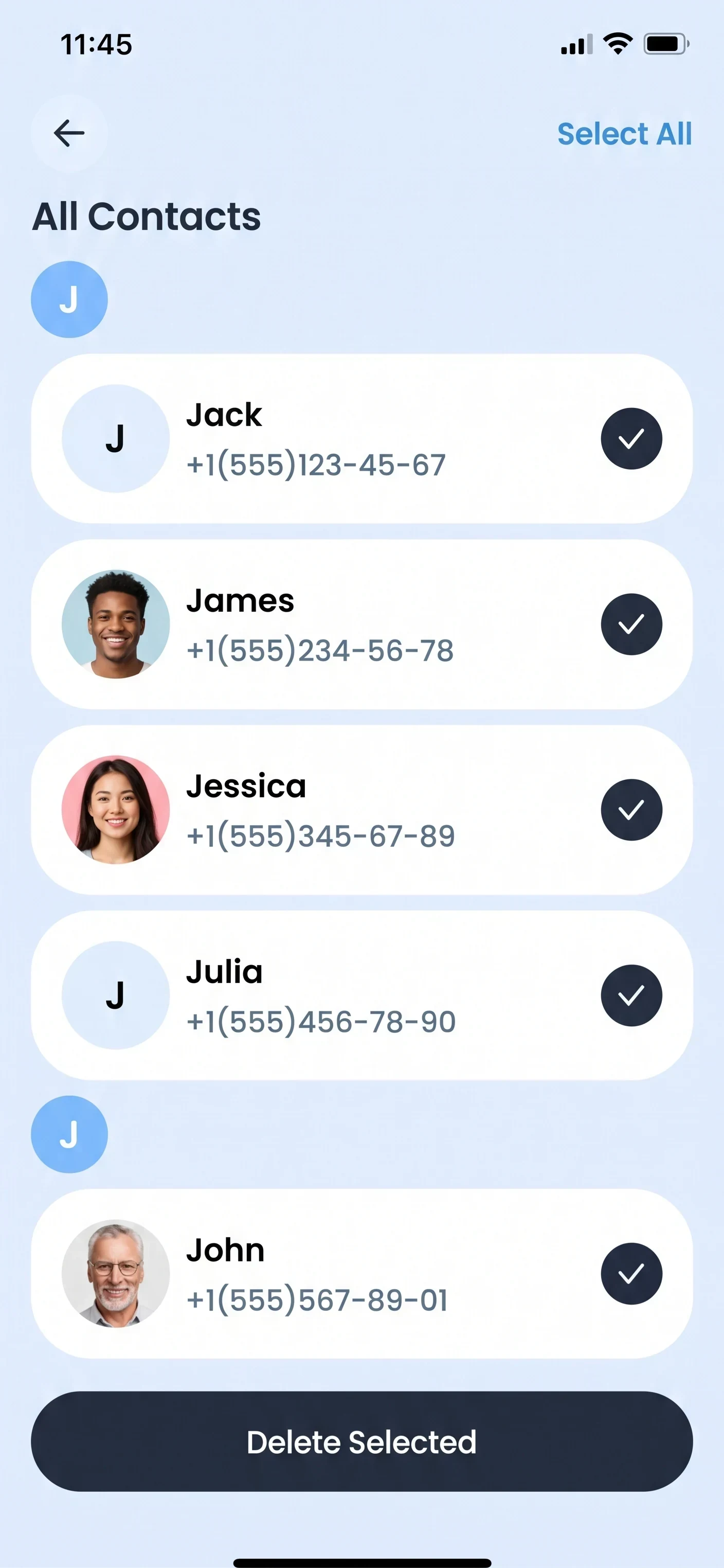
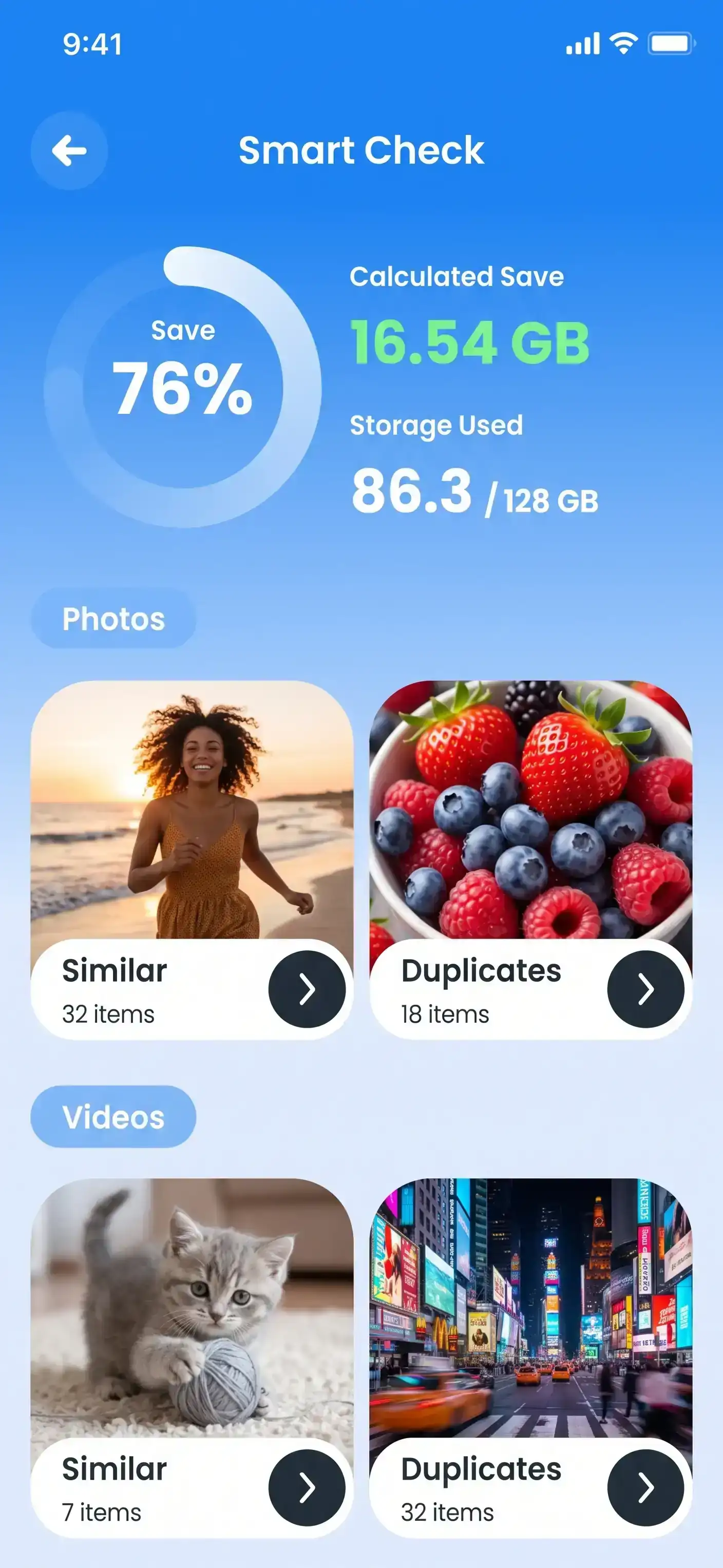
See Secure Clean before you commit
From the first scan to contact merges, every action stays on your iPhone until you confirm it.
- Storage pulse ranks candidates by size and age
- Photo sweep groups visually similar shots side by side
- Contact harmonizer suggests merges with a full preview
- Metadata strip clears GPS and camera tags on export
Background previews: contacts merge screen, all contacts list, and Smart Check storage overview.
Choose the renewal that fits you
Begin with short-term access, then continue monthly or weekly — cancel before the next billing date to stop renewal.
3-day starter
Try Premium before a longer plan
Weekly
Flexible week-by-week access
Monthly
Steady upkeep every month
Why Secure Clean asks for access
Permissions match features — nothing extra, nothing hidden.
Photo library
Contacts
Notifications
Photo metadata
Your content stays on your device
Local-first processing
You approve every change
Questions we hear often
What happens after the 3-day starter?
Starter access costs $4.99. Unless you cancel before it ends, your plan renews at $44.99 per month until you stop it from your account area.
Which plans can I choose?
Secure Clean offers a $4.99 three-day starter that continues at $44.99/month, a $10.99 weekly plan, and a $44.99 monthly plan. All renew automatically until cancelled.
Do I need Premium for basic cleanup?
Photo sweep and contact harmonizer basics are free. Compression, metadata strip, private vault, and Storage pulse require an active Premium subscription or starter access.
How do I cancel?
Sign in to your customer account and turn off renewal before the next billing date. Need help? Email support@sunglassbay.com.
Can I request a refund?
Refunds follow the rules in our Refund Policy. Review eligibility and steps there before contacting support.
Will Secure Clean delete files without asking?
No. Every cleanup is opt-in. You review grouped photos, contacts, and files before confirming deletion or merge actions.
Get the free Secure Clean app
Install the basic app on your iPhone, then sign in after purchasing Premium on this website.
Download from App Store